Your personalized PDF
A mockup with your name and a QR linked to your custom demo.
GET YOUR FREE REPBOOM SMART RIDER MOCKUP
Your personalized PDF and landing page update as you type and add photos.
✓ Free PDF download✓ Live demo for 14 days✓ No credit card needed
Design preview — try the form and uploads below. Demo publishing will be available after setup.
Add your details, then scroll down to see both previews.
Your demo is live until . Save your PDF to keep its QR and demo link handy.
Your phone’s share menu may offer Save Image or Save to Photos. If the image downloads to Files, open it there and use Share. To email the PDF, use Share PDF when offered, or share the downloaded file from Files. On supported phones, open the saved image and press and hold a QR code to open its link. You can also tap “Try my live demo” above.
Your working QR is added to your smart rider once you create and download your free mockup.
 Your property photo will appear here
Get listing information
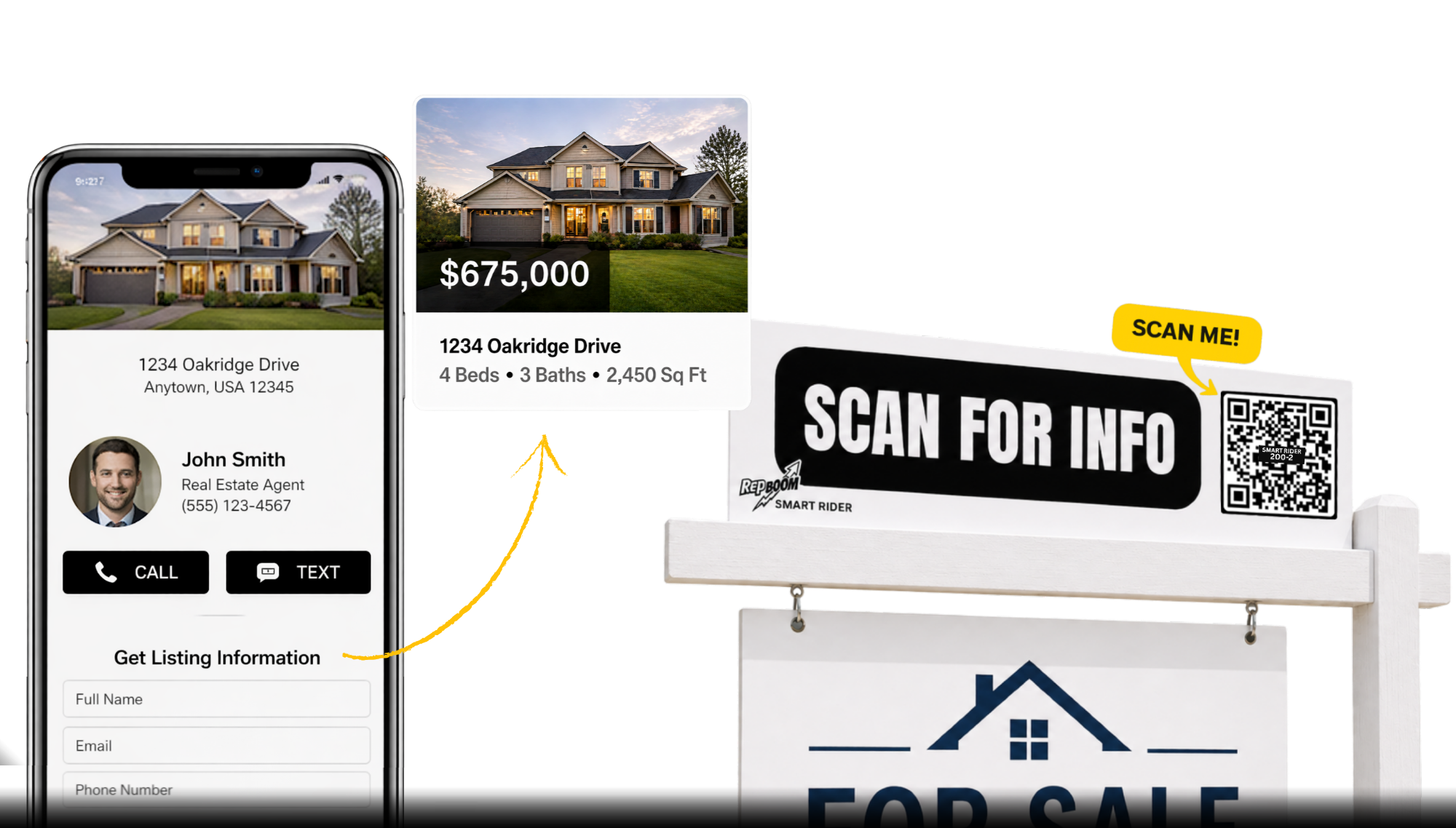
This is what buyers will see after scanning your smart rider.
Preview only. Try the working page after you submit.
SEE THE VALUE BEFORE YOU COMMIT
A mockup with your name and a QR linked to your custom demo.
Your headshot, brokerage logo, and listing photo. Ready for a test drive.
Download your PDF and explore your live demo for 14 days.
FROM SIGN SCAN TO BUYER INQUIRY
Buyers scan your Smart Rider, share their details, and open your listing. You receive their inquiry by email, so you can follow up.
Test the experience yourself with your free demo.
HOW IT WORKS
Choose one listing and upload your headshot, logo, and property photo.
See your personalized PDF and landing page update as you type.
Submit the form, save your PDF, and scan the QR to test the buyer experience.
BEFORE YOU TEST DRIVE
No Waiting. No credit card. See exactly how your listing would look and who it could be capturing.
When your completed form is successfully submitted and your demo is published. Downloading or sharing the PDF does not reset the expiration.
On your PDF mockup, it will be inside the white box on your smart rider once you click the "create and download my free mockup" button. Scan it, or click the yellow “Test your mockup” to open your custom landing page.
Yes. After publishing, open your demo and complete its buyer form. The listing link is emailed to the buyer, an inquiry alert is emailed to you, and the buyer opens your listing.
No. This mockup is a free digital demo to learn how our smart riders work. If you think they'll benefit you and your business, visit Repboom.com to purchase your own reusable smart riders.